
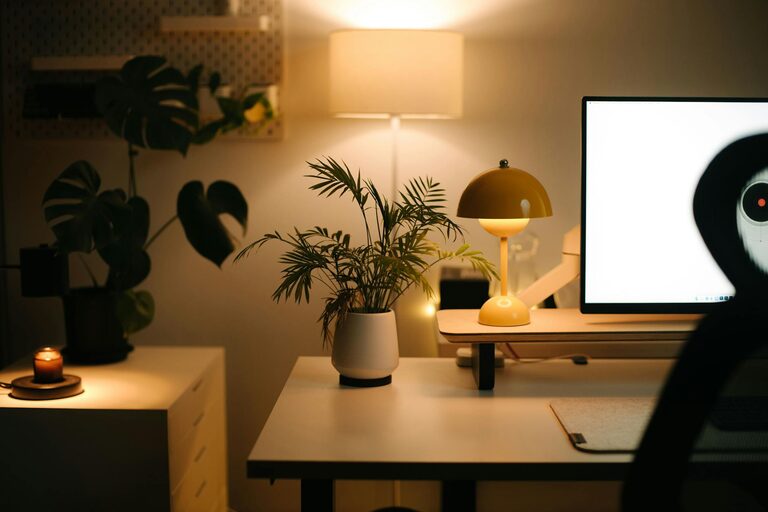
Creating a relaxing home workspace is essential for maintaining focus, reducing stress, and boosting productivity, especially as many people continue to work remotely. A comfortable and inviting environment can make all the difference in how you feel throughout your workday. This guide will walk you through practical tips to design a workspace that promotes calmness and efficiency.
Why a Relaxing Workspace Matters
Working from home comes with unique challenges. Without the right setup, distractions and discomfort can quickly drain your energy and concentration. A relaxing workspace helps you:
– Improve focus and productivity
– Enhance your overall well-being
– Minimize stress and fatigue
– Foster a positive work mindset
By making intentional choices about your workspace, you set yourself up for success.
Choose the Right Location
Selecting the right spot in your home is the first step toward creating a relaxing workspace.
– Quiet Area: Pick a place away from noisy areas like the kitchen or living room. This reduces interruptions.
– Natural Light: Whenever possible, position your desk near a window to take advantage of daylight, which promotes better mood and alertness.
– Space Availability: Ensure the area has enough room for all your work essentials without feeling cramped.
Invest in Comfortable Furniture
Your furniture plays a critical role in both comfort and productivity.
– Ergonomic Chair: A supportive chair helps maintain good posture and reduces back pain. Look for adjustable height and lumbar support.
– Desk Height: Your desk should allow you to work with your arms at a comfortable angle, usually around 90 degrees.
– Extras: Consider a footrest or an adjustable monitor stand to improve ergonomics.
Declutter and Organize
A tidy desk can lead to a clearer mind.
– Keep Only What You Need: Store away non-essential items to avoid distractions.
– Use Storage Solutions: Drawers, shelves, and organizers keep supplies within reach but out of sight.
– Cable Management: Use clips or sleeves to keep cords neat, preventing clutter and hazards.
Personalize Your Space
Adding personal touches can make your workspace feel more inviting and relaxing.
– Plants: Small indoor plants improve air quality and introduce a calming natural element.
– Art and Decor: Choose images or objects that inspire you or bring joy.
– Color Choices: Soothing colors like blues, greens, or neutral tones contribute to a peaceful atmosphere.
Control Lighting and Reduce Glare
Proper lighting supports sustained focus and reduces eye strain.
– Layer Lighting: Combine natural light with overhead lights and task lamps to create balanced illumination.
– Adjustable Lamps: Use desk lamps with adjustable brightness and direction to suit different tasks.
– Screen Position: Place your monitor to minimize glare from windows or lights, or use an anti-glare screen protector.
Incorporate Soothing Sounds
Background noise can help some people concentrate while others may prefer quiet.
– Soft Music or Nature Sounds: Play calming playlists or white noise to mask distracting noises.
– Noise-Canceling Headphones: Useful if your environment is noisy and you want to block out distractions.
Maintain Good Air Quality
Fresh air promotes comfort and alertness.
– Ventilation: Open windows when possible or use fans to circulate air.
– Air Purifiers: Consider using an air purifier, especially in rooms that lack fresh airflow.
– Avoid Strong Scents: Choose mild or natural scents if you use candles or diffusers to avoid irritation.
Establish Boundaries and Workflow
A relaxing workspace also depends on mental boundaries between work and personal time.
– Set Work Hours: Create a schedule to start and end your day consistently.
– Use Signals: A door sign or headphones can let others know when you should not be disturbed.
– Take Breaks: Step away regularly to stretch or walk, helping prevent burnout and refresh your mind.
Keep Technology Handy but Manage Distractions
Technology is essential but can also be a source of interruptions.
– Organize Your Tools: Keep your devices charged and software updated for smooth workflow.
– Limit Notifications: Turn off non-urgent alerts to focus better.
– Use Productivity Apps: Tools like timers or task managers can help keep you on track.
Final Thoughts
Creating a relaxing home workspace is about combining comfort, organization, and personal touches tailored to your preferences. By making thoughtful adjustments to your space, you can enhance your work experience, maintain motivation, and enjoy a healthier balance between work and life. Start small, implement these tips one by one, and notice how your home workspace transforms into a place where you feel calm and productive every day.