
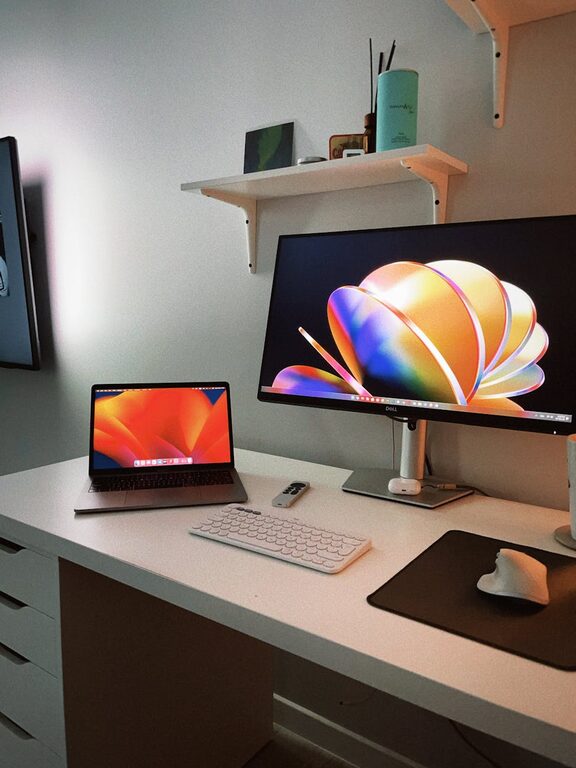
Creating an organized and productive home workspace is essential for anyone who spends significant time working from home. A well-designed space helps maintain focus, reduce distractions, and improve overall work performance. Whether you’re a remote employee, a freelancer, or managing personal projects, these tips will guide you in setting up a workspace that supports your daily tasks effectively.
Choose the Right Location
Assess Your Available Space
Finding the best spot in your home for your workspace is the first step. Look for a quiet area with minimal foot traffic and distractions. If possible, select a space with natural light, as sunlight can boost mood and energy levels.
Separate Work from Leisure
Try to establish a clear boundary between your work area and relaxation spaces. This separation helps your brain associate the workspace with productivity, making it easier to focus when it’s time to work.
Invest in Comfortable and Functional Furniture
Ergonomic Chair and Desk
Comfort is key to maintaining productivity, especially during long hours. Choose a chair that supports your lower back and encourages good posture. Pair it with a desk at the right height to reduce strain on your wrists and shoulders.
Adequate Desk Space
Having enough surface area allows you to organize your essentials like your computer, notebooks, and stationery. Avoid clutter by limiting what stays on your desk to the essentials for your daily tasks.
Keep Your Workspace Organized
Use Storage Solutions
Incorporate shelves, drawers, or filing cabinets to keep documents and supplies neatly stored. Label containers and folders so you can quickly find what you need without wasting time.
Declutter Regularly
Schedule a weekly or biweekly decluttering session to remove unnecessary items. A tidy workspace prevents distractions and creates a more inviting environment.
Optimize Lighting and Technology
Lighting Setup
In addition to natural light, add adjustable desk lamps to reduce eye strain. Choose lighting that can be dimmed or brightened depending on the task and time of day.
Reliable Equipment
Invest in a dependable computer, a good-quality monitor, and other technology that matches your work needs. Keep cables organized using clips or covers to avoid mess and potential hazards.
Minimize Distractions
Control Noise
If outside noise is an issue, consider noise-canceling headphones or white noise machines to maintain concentration. Inform family members or housemates of your work hours to minimize interruptions.
Manage Digital Distractions
Turn off non-essential notifications and use productivity apps to block distracting websites during work sessions. Organize your digital files so you don’t waste time searching for important documents.
Personalize Your Workspace
Add Motivational Elements
Decorate your space with items that inspire you, such as art prints, plants, or photos. These touches can boost your mood and make your workspace feel welcoming.
Incorporate Greenery
Plants not only enhance aesthetics but can also improve air quality and reduce stress. Choose low-maintenance varieties suitable for indoor conditions.
Establish a Routine
Set Work Hours
Define consistent start and end times to create structure. Having a routine signals your brain when it’s time to work and when to relax.
Take Scheduled Breaks
Incorporate short breaks to stretch, move around, and recharge. This practice helps maintain focus and prevents burnout.
Keep Essential Supplies Within Reach
Organize everyday items like pens, notebooks, chargers, and sticky notes nearby. Use desk organizers or small containers to keep these items accessible yet neat.
Final Thoughts
An organized and productive home workspace doesn’t require a complete overhaul. Small adjustments tailored to your needs can make a significant difference. Focus on creating a comfortable, distraction-free environment that encourages efficiency and well-being. By following these tips, you’ll be well on your way to maximizing your productivity while enjoying the convenience of working from home.